
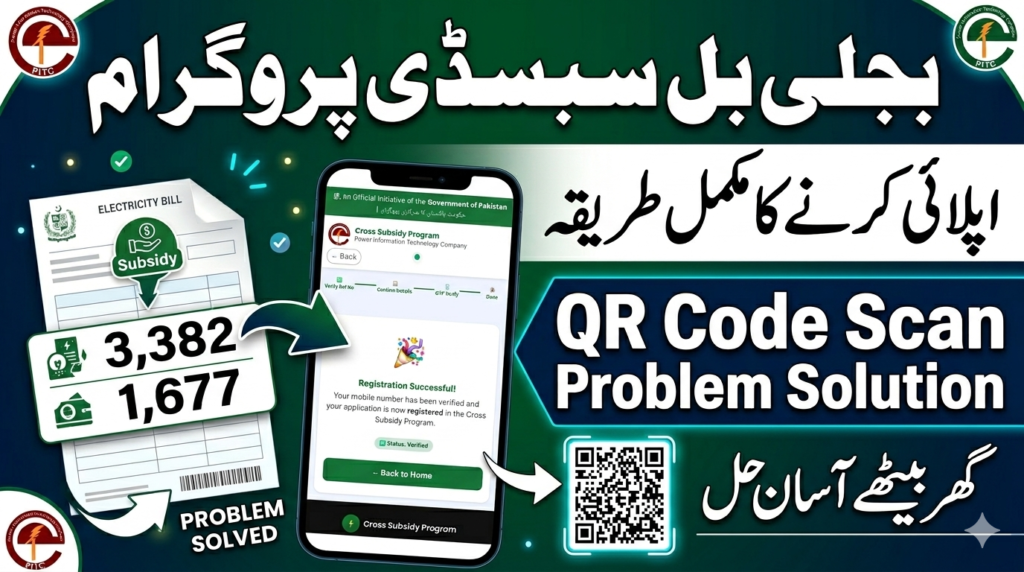
The Government Bill Subsidy Program has been introduced to help eligible citizens receive relief on electricity bills through an easy online registration process. Thousands of people across Pakistan are applying through the QR code printed on their electricity bills. Many users are confused about the registration method, OTP verification, and fake links circulating online. This complete guide by UGS Digital explains the official registration process step by step in simple language.
What is the Bill Subsidy Program?
The Bill Subsidy Program is a relief initiative designed to support eligible electricity consumers by providing subsidies and financial assistance on electricity bills. Users can apply online directly through the official QR code printed on their electricity bill.
This process is simple, mobile-friendly, and can be completed within a few minutes.
How to Apply for Bill Subsidy Program Online
Follow these easy steps carefully for successful registration:
Step 1 – Scan the QR Code on Your Electricity Bill
First of all, open your mobile camera or QR scanner application and scan the QR code printed on your electricity bill.
After scanning, the official registration website will automatically open on your mobile browser.
Step 2 – Enter the Captcha Code
Once the website opens, you will see a captcha code for security verification.
Enter the captcha correctly and continue to the next step.
Step 3 – Verify Your Information
After captcha verification, your bill information will automatically appear on the screen, including:
- Consumer Name
- CNIC Number
- Address
- Load Information
- Mobile Number
Carefully check all details before proceeding.
Step 4 – Enter Your Mobile Number
Now enter your own active mobile number because the OTP verification code will be sent to this number.
Always use a working SIM card that is currently active.
Step 5 – OTP Verification
After clicking the Next button, you will receive an OTP verification code on your mobile number.
Enter the OTP code correctly and click Next.
Step 6 – Registration Successful
Once the OTP is verified, your registration process will be completed successfully.
You may also receive a confirmation message regarding your successful application.
Watch Our Complete YouTube Video Guide
If you are still confused about the registration process, you can also watch our detailed YouTube video tutorial where we explain the complete Bill Subsidy Program application method step by step.
In our video, you will learn:
- How to scan the QR code correctly
- How to open the official website
- How to enter captcha code
- How OTP verification works
- How to avoid fake websites and scams
- Complete registration process on mobile
https://youtu.be/badJEXB_m3A
Our YouTube guide is specially created for beginners and mobile users so everyone can easily complete their registration without any problem.
Important Warning About Fake Websites & QR Codes
Many fake websites, fake links, and fraudulent QR codes are being shared online by scammers. Citizens are strongly advised to stay alert and avoid unofficial links.
Important Safety Instructions:
- Do NOT use random QR codes from social media
- Do NOT trust fake websites claiming instant subsidy approval
- Always scan ONLY the QR code printed on your own electricity bill
- Every electricity bill contains its own specific QR code
- Your registration should only be completed through the official QR code available on your bill
Using unofficial websites may put your personal information at risk.
Common QR Code Scan Problems and Solutions
Many users face issues while scanning the QR code. Here are some quick solutions:
QR Code Not Scanning?
Try these methods:
- Clean your mobile camera lens
- Increase screen brightness or room lighting
- Use Google Lens or another QR scanner app
- Ensure internet connection is active
- Try scanning from a different angle
- Avoid blurry or damaged bills
Website Not Opening?
- Refresh your browser
- Switch mobile data or WiFi
- Try using Google Chrome browser
- Re-scan the QR code carefully
UGS Digital Registration Assistance Services
If you are unable to apply yourself, UGS Digital also provides online registration assistance services for electricity bill subsidy programs.
Our Services Include:
- QR Code Registration Assistance
- OTP Verification Help
- Registration Proof Screenshot
- Bill Verification Support
- Online Government Scheme Assistance
- Jobs, Admissions & Scholarship Updates
You can send your electricity bill QR code on our WhatsApp number for registration assistance. After successful registration, proof of registration will also be provided.
You can also personally verify your registration status through your own bill QR code.
Follow UGS Digital for Latest Updates
For daily updates regarding:
- Government Schemes
- Jobs in Pakistan
- Admissions
- Scholarships
- Online Registrations
- Important Public Updates
Follow the official WhatsApp channel of UGS Digital and stay updated with authentic information.
Final Words
The Bill Subsidy Program is an important relief initiative for electricity consumers in Pakistan. Always use the official QR code printed on your electricity bill for registration and avoid fake links or fraudulent websites.
If you face any difficulty during the registration process, UGS Digital is available to help you with professional online assistance services.
You can also watch our complete YouTube video guide for step-by-step assistance and easy understanding of the entire application process.
Stay safe, stay informed, and always verify before sharing your personal information online.